
ezWOOT1.5 - Google Play
You'll be able to see results in few seconds.
Publisher Description
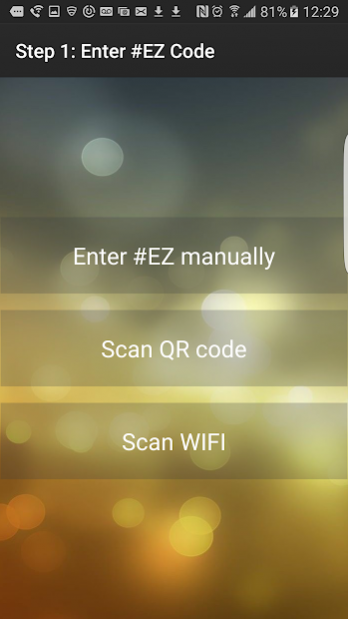
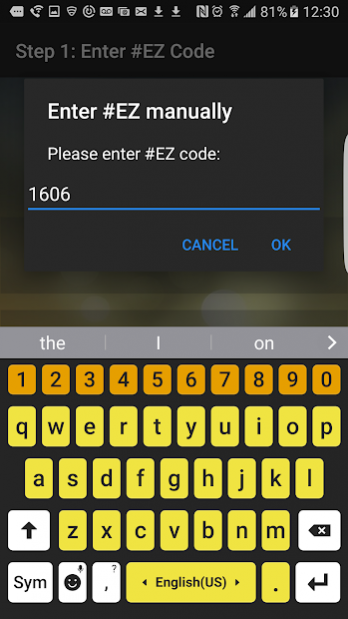

Addicted Foodies or Selfies? Tag your photos with logos and hashtags of your favorite venue on the fly, and get rewarded over time.
How does it work?
Glossary
Woot: a collection of filters and tags, especially hashtags, crafted by a wooter, organized in
a cloud folder
Filters: images to be added as an overlay on a photo, be it a frame, a logo, an emoticon, a
sticker, or watermark … etc. whichever way you wish to call it!
Hashtags: you know it well, but we try to make it easy on you so you can make the best out of
hashtags, and your photo post will have a better chance to get trending.
Wooter: a person or business who creates woots so anyone can use it to add something to a photo before
sharing it in multiple social networks.
Wootee: a person who makes use of a woot via the http://ezWOOT.com website or the
#ezWOOT Android App
#EZ: Pronounced as “hashtag easy” and is a unique identifier chosen by a wooter during the
process of creating a woot, which can be used to access a woot via internet through a url
(e.g. http://ezWOOT.com/1234 ) At this stage, only 4-digit up numerals can be chosen,
e.g. 999 is not acceptable, but 1999 is OK
Swipe: when #ezWOOT app is opened and in use, a quick stroke from side to side across the
cell phone screen with one finger, this will begin to load filter one swipe at a time so the wootee can
make a selection to use a filter on the photo to upload.
Double Tap: tap a filter twice quickly means you have selected the filter and are ready to use it
on your photo
TwoFinger: use two of your fingers on a filter to move, resize or rotate it.
About ezWOOT
The company that develops ezWOOT is The HashMob. The latest version released by its developer is 1.5.
To install ezWOOT on your Android device, just click the green Continue To App button above to start the installation process. The app is listed on our website since 2017-03-11 and was downloaded 0 times. We have already checked if the download link is safe, however for your own protection we recommend that you scan the downloaded app with your antivirus. Your antivirus may detect the ezWOOT as malware as malware if the download link to com.ezwoot is broken.
How to install ezWOOT on your Android device:
- Click on the Continue To App button on our website. This will redirect you to Google Play.
- Once the ezWOOT is shown in the Google Play listing of your Android device, you can start its download and installation. Tap on the Install button located below the search bar and to the right of the app icon.
- A pop-up window with the permissions required by ezWOOT will be shown. Click on Accept to continue the process.
- ezWOOT will be downloaded onto your device, displaying a progress. Once the download completes, the installation will start and you'll get a notification after the installation is finished.
Program Details
System requirements
Download information
Pricing
Version History
version 1.5
posted on 2017-03-11
Improved loading of multiple filters (logos)
version 1.2
posted on 2016-09-25
New: Process of Video Clips with existing ezWOOT.com infrastructure
Disclaimer
Official Google Play Link
We do not host ezWOOT on our servers. We did not scan it for viruses, adware, spyware or other type of malware. This app is hosted by Google and passed their terms and conditions to be listed there. We recommend caution when installing it.
The Google Play link for ezWOOT is provided to you by apps112.com without any warranties, representations or guarantees of any kind, so access it at your own risk.
If you have questions regarding this particular app contact the publisher directly. For questions about the functionalities of apps112.com contact us.
